
AENTIA AC 110V-240V Wireless Remote Control Light Switch Instruction Manual
AENTIA AC 110V-240V Wireless Remote Control Light Switch Instruction Manual
1. Introduction
Thank you for choosing the AENTIA Wireless Remote Control Light Switch. This manual provides detailed instructions for the safe and efficient installation, operation, and maintenance of your new device. Please read this manual thoroughly before use and retain it for future reference.
This product allows you to remotely control lights or other electrical appliances using a wireless RF (Radio Frequency) signal. It features stable performance, high reception sensitivity, and a robust signal capable of passing through walls, floors, and doors.

Image 1.1: Overview of the AENTIA Wireless Remote Control Light Switch components.
2. Safety Information
Please observe the following safety precautions to prevent injury or damage to the device:
- Always disconnect power at the circuit breaker before installing or servicing the receiver.
- Installation should be performed by a qualified electrician or in accordance with local electrical codes.
- Do not exceed the maximum load capacity of 1500W (10A resistive load).
- Ensure the operating voltage (AC 90V-250V) is compatible with your electrical system.
- Keep the device away from water and high humidity environments.
- Do not attempt to disassemble or modify the device.
3. Package Contents
Verify that all items are present in your package:
- 1 x RF Relay Receiver
- 2 x Remote Control Transmitters (Keyfob style)
- 1 x AAA 12V Battery (pre-installed in transmitter)
- Double-sided tape for transmitter mounting
- Screws for transmitter mounting

Image 3.1: Dimensions and included accessories.
4. Specifications
| Feature | Specification |
|---|---|
| Operation Mode | ON-OFF |
| Current Rating | 10 Amps |
| Operating Voltage | AC 90V-250V (110V, 120V, 220V, 240V compatible) |
| Max Load (Resistive) | 1500W |
| Contact Type | Normally Open |
| Connector Type | Crimp |
| Terminal | Screw |
| Receiver Dimensions (L x W x H) | 65 x 36 x 23 mm (2.56 x 1.42 x 0.91 inches) |
| Transmitter Dimensions (L x W x H) | 115 x 70 x 15 mm (4.53 x 2.76 x 0.59 inches) |
| Circuit Type | 1-way |
| Contact Material | Plastic |
| RF Frequency | 433Mhz |
| Control Distance (Open Area) | Up to 100 feet (30 meters) |
| Control Distance (Through Walls/Doors) | 100-180 feet (30-55 meters) |
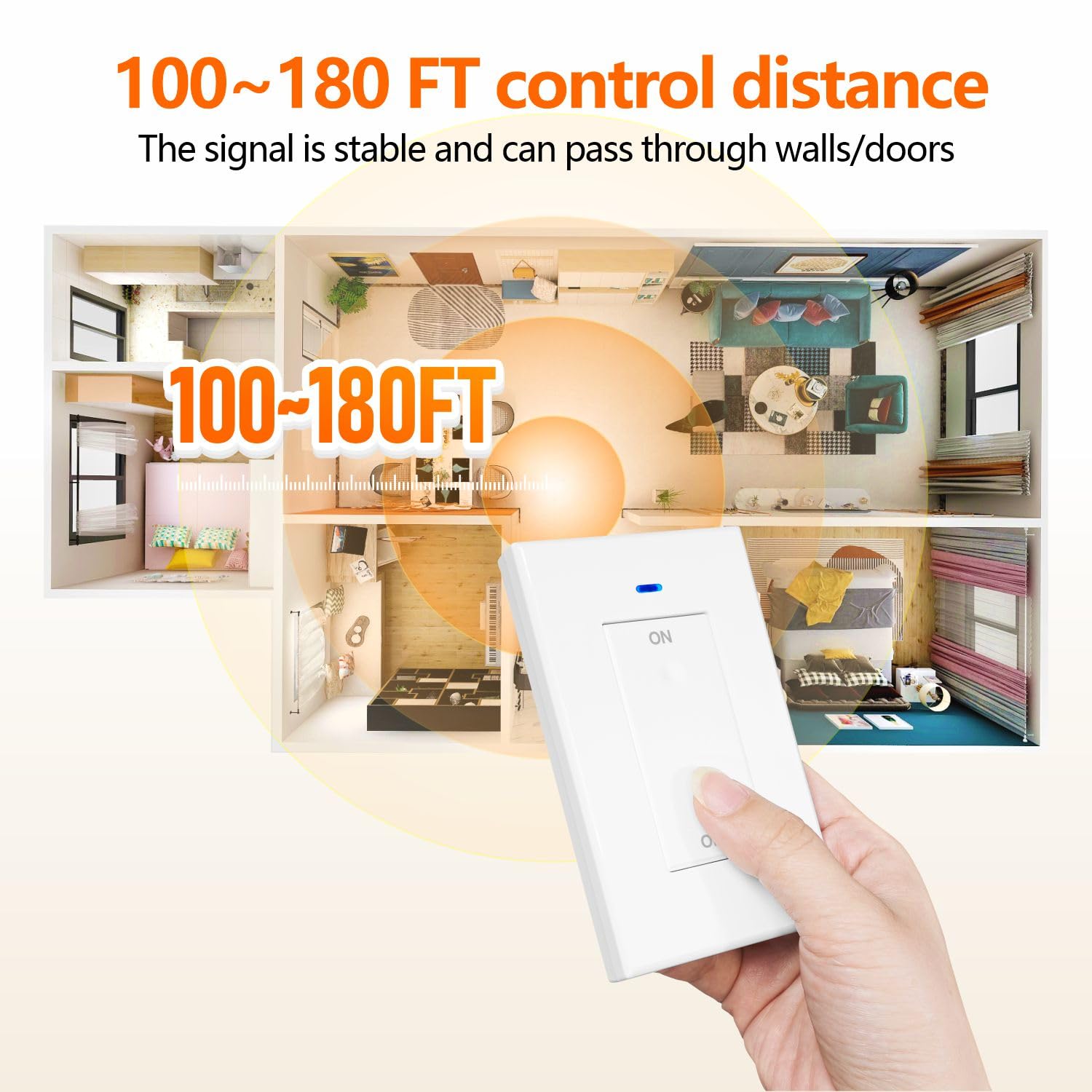
Image 4.1: Effective control distance through obstacles.
5. Setup and Wiring
The receiver is designed for easy installation between your power supply and the device you wish to control. No complex wiring is required for the transmitter.
Receiver Wiring:
The receiver has input and output terminals for connection. Ensure power is OFF before wiring.
- Input: Connect the AC power supply (Live 'L' and Neutral 'N') to the receiver's input terminals.
- Output: Connect the device (e.g., lamp, fan) to the receiver's output terminals.

Image 5.1: Wiring scenarios for the RF receiver.
Scenario A: Connect the receiver in series with the Live (L) wire of your device.
Scenario B: Connect the receiver in series with the Neutral (N) wire of your device.
Choose the scenario that best fits your existing wiring setup. Always ensure secure connections.
6. Operating Modes
The receiver supports three operating modes: Momentary, Toggle, and Latched. The product is pre-set to Latched Mode by default.
- Momentary Mode: Press and hold the transmitter button to turn ON; release to turn OFF.
- Toggle Mode: Press the transmitter button once to turn ON; press again to turn OFF.
- Latched Mode: Press one transmitter button to turn ON; press another transmitter button to turn OFF. (For a single button transmitter, press ON to turn ON, then press OFF to turn OFF).
You can program the operating mode according to your specific needs. Refer to the 'Pairing Instructions' section for programming details.
7. Pairing Instructions (RF433Mhz Signal)
To pair the transmitter with the receiver, follow these steps:
- Press the learning button on the receiver 3 times. The indicator light on the receiver will flash, indicating it is in learning mode.
- Press the 'ON' button on your transmitter 1 time. The receiver's indicator light will flash to confirm successful pairing for the 'ON' function.
- Press the 'OFF' button on your transmitter 1 time. The receiver's indicator light will flash again to confirm successful pairing for the 'OFF' function.
- Test the connection by pressing the 'ON' and 'OFF' buttons on the transmitter. The connected device should respond.

Image 7.1: Pairing and clearing data instructions.
8. Clearing Data
To clear all paired transmitters from the receiver's memory, follow these steps:
- Press the learning button on the receiver 8 times.
- The receiver's indicator light will flash rapidly and then turn off, indicating that all stored data has been cleared.
- You can now re-pair transmitters as needed.
Refer to Image 7.1 for a visual guide on clearing data.
9. Installation of Transmitter
The wireless transmitter offers flexible installation options:
Fixed Mode Installation:
You can mount the transmitter to a wall or any flat surface using the provided double-sided tape or screws.
- Open the transmitter casing to access the mounting holes and battery compartment.
- Use the double-sided tape for a non-permanent solution or screws for a more secure fixture.
- Ensure the mounting surface is clean and dry before applying tape.
Portable Mode:
The transmitter can also be used as a portable remote control, allowing you to operate your devices from anywhere within range.

Image 9.1: Steps for installing the detachable remote transmitter.

Image 9.2: Transmitter usage in fixed and portable modes.
10. Troubleshooting
-
Device not responding:
- Ensure the receiver is correctly wired and receiving power.
- Check if the transmitter battery is functional (replace if necessary).
- Re-pair the transmitter and receiver following the pairing instructions.
- Verify that the connected device is working correctly when directly powered.
-
Reduced control range:
- Ensure there are no major metallic obstructions between the transmitter and receiver.
- Avoid placing the receiver inside metal enclosures.
- Check for strong interference from other RF devices operating on similar frequencies.
-
Transmitter not working:
- Replace the AAA 12V battery.
- Ensure the battery is inserted with correct polarity.
11. Maintenance
- Cleaning: Wipe the devices with a soft, dry cloth. Do not use harsh chemicals or abrasive cleaners.
- Battery Replacement: The transmitter uses a 12V AAA battery. To replace, carefully open the transmitter casing (refer to Image 9.1) and insert a new battery, ensuring correct polarity.
- Storage: Store the device in a cool, dry place away from direct sunlight and extreme temperatures.
12. Warranty and Support
For warranty information or technical support, please refer to the product packaging or contact AENTIA customer service through your retailer. Keep your purchase receipt as proof of purchase.